
A simpler way to manage your pickups
Make waste collection easier with a digital way to order pickups whenever it suits you. In the customer portal, you can place orders without waiting in phone queues, select exactly what needs to be collected, and manage multiple pickup locations just as smoothly. Every order is quick to submit and simple to customise with articles, containers, and comments.
Once your order is placed, you can follow its status all the way from request to pickup. Previous orders are stored and easy to revisit, making repeat bookings effortless and saving you valuable time. Whether you manage one site or several, Pickups gives you a clear, efficient workflow that keeps your waste handling running smoothly.
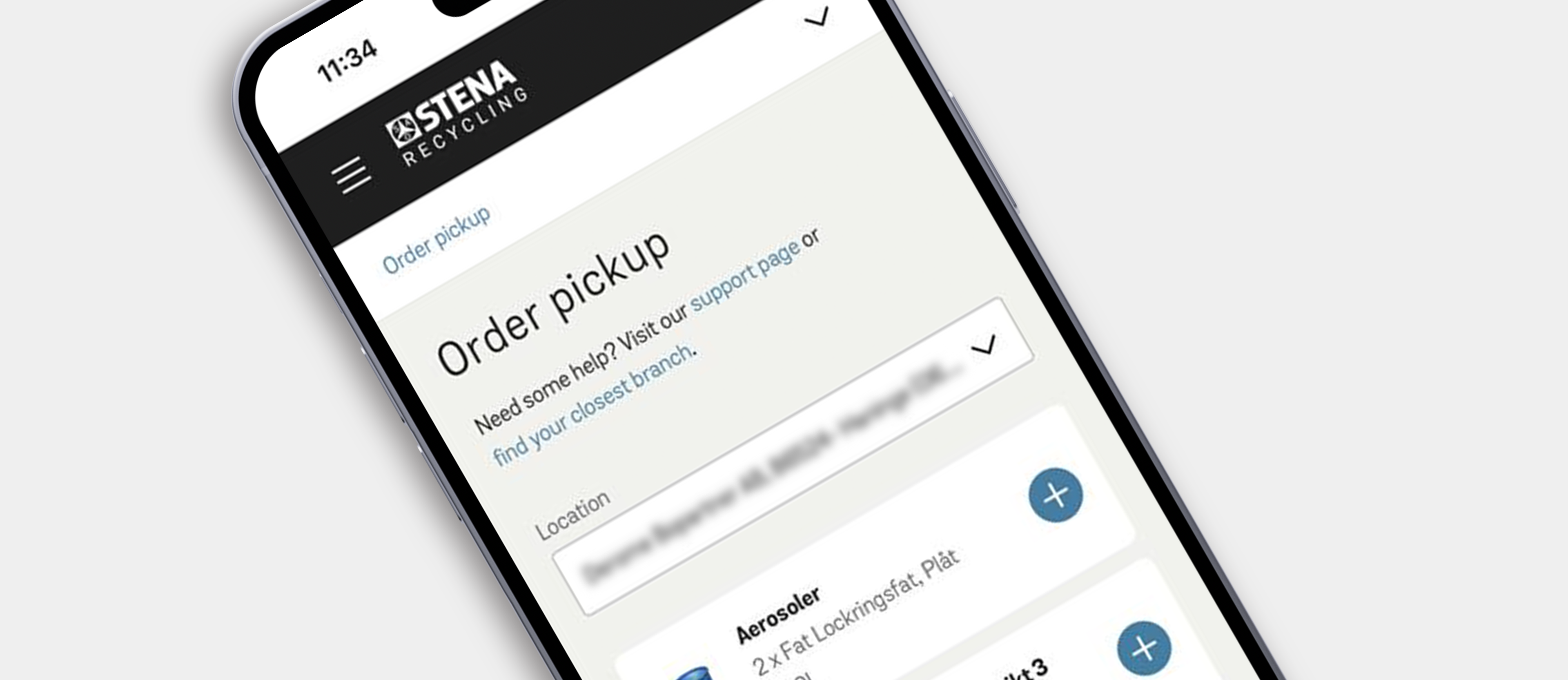

Order pickups on the go
The Customer portal offers an efficient way to order pickups from your mobile phone – wherever you are.
Just as on your computer, you can see all waste types you deal with and order a pickup in a few clicks. To get started, you can scan the QR code or click on below button via your mobile phone. When in the Customer portal, do not forget to save a shortcut to your mobile´s screen so it will be there among the other apps the next time you need to book a pickup.

Pickups for end-of-life lithium batteries
This service in the customer portal simplifies the ordering of pickups for end-of-life vehicle batteries and industrial lithium-ion batteries in Sweden. It provides an efficient and secure process for managing battery pickups.
Enhanced functionality includes:
- Battery condition assessment
- Packaging and transport guidance
- Option to add invoice and battery references
Need help with pickups?
You can order pickups, check schedules and statuses, and follow the materials Stena Recycling manages for you.
Yes. You can order pickups directly from your mobile by logging in to the customer portal in your mobile browser, using the same login as on desktop. The mobile experience offers the same functionality, and you can save the portal as a shortcut on your home screen for quicker access.
You can view status for your booked orders under Previous orders, and filter by date and collection addresses (useful if you have multiple sites).
If you placed an incorrect order or need to cancel, the guidance is to contact your nearest Stena Recycling branch.
If the material isn't available in the list, contact your nearest Stena Recycling branch for help.

Need access to the customer portal?
Fill in the form and we'll help you set up your account.
Customer portal information for your market
Different markets may offer unique features, guidelines, or contact points. Visit your local site to explore the customer portal information that applies to you.
